


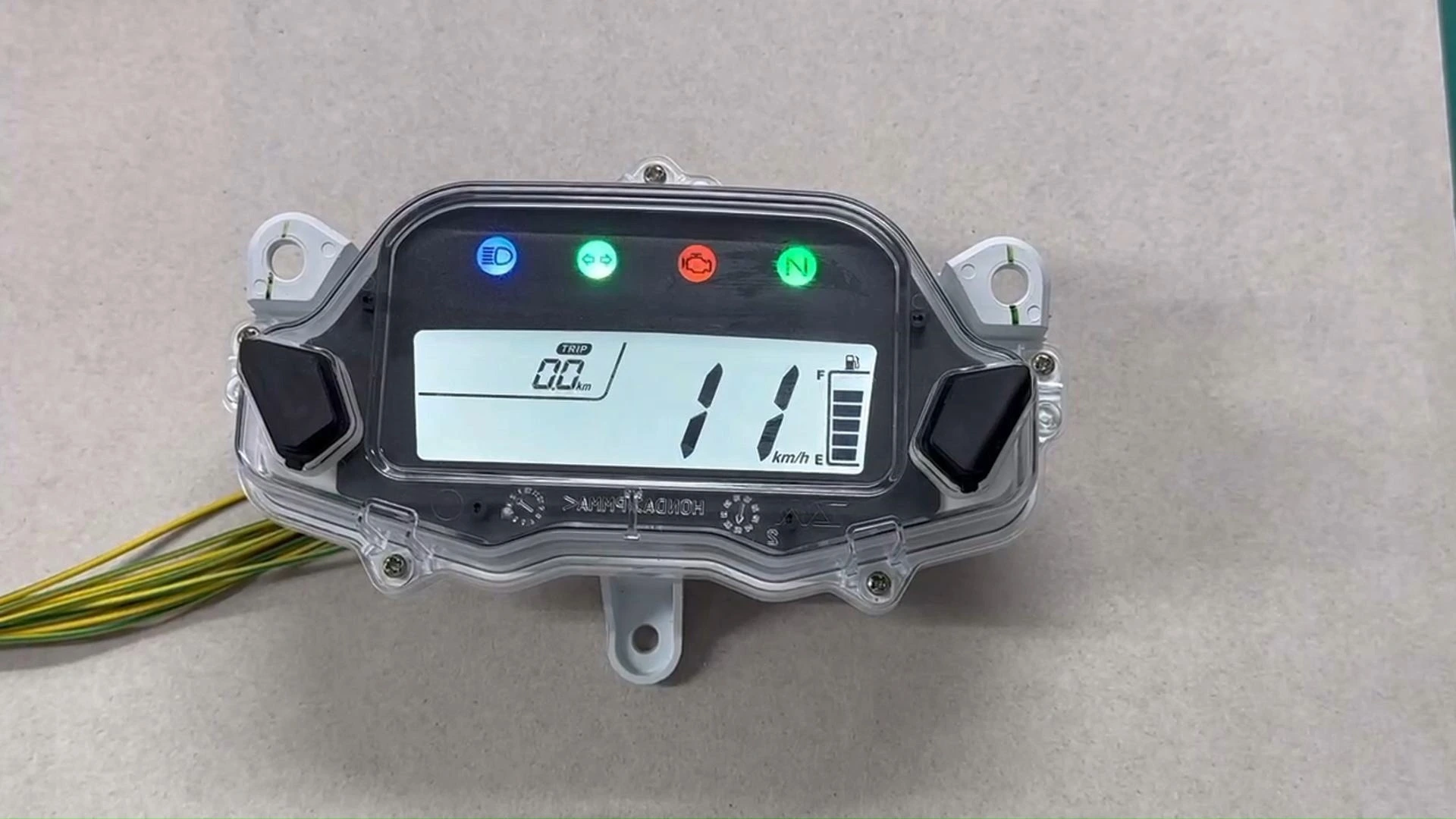
BH-METER Digital Speedometer Dashboard For Honda CG Titan 150 ESD EX 2014 2015
Professional digital instrument panel specifically designed for Honda CG Titan 150 Fan EX motorcycles, featuring precise speed measurement, RPM monitoring, and distance tracking with clear digital display and reliable performance.
Compatible Models: HONDA CG 150 FAN ESDi 2014, HONDA CG 125 FAN ES 2014, Cg Fan 125/125i, Honda CG 125 Fan KS 2014Installation Steps
Stage 1: Ensure complete power shutdown by removing the ignition key for installation safety.
Stage 2: Locate the original dashboard wiring harness connector and disconnect the previous instrument panel plug.
Stage 3: Connect each wire according to the wiring diagram, matching corresponding connections (insulation tape recommended for securing connections).
Stage 4: First connect the ground wire (green) and positive power wire (black), then apply power to verify screen illumination.
Stage 5: Test turn signal indicators, gear position display, fuel level signals and other functions; confirm proper operation before securing the dashboard.
Stage 6: After installation completion, start the motorcycle and re-check that all functions respond synchronously.
Button Adjustment
A short press of the button switches between trip mileage and total mileage. In TRIP mode, a long press can reset the trip mileage.
Safety Precautions
Guideline 1: To prevent potential product damage from incorrect wiring, we recommend seeking assistance from a professional motorcycle mechanic for installation if you lack relevant experience.
Guideline 2: All products undergo testing before shipment. After installation, should any functions fail to operate properly, first examine whether wiring connections are correctly installed and secure. If issues persist after connection verification, consult a mechanic. Should the instrument panel be confirmed as defective without apparent cause following mechanic inspection, please contact our after-sales service personnel.
Related Products
Just leave your email or phone number in the contact form so we can send you a free quote for our wide range of designs!
Add: Room 1003, 10th Floor, Building 3, Wanyang Innovation City, Jiangdu West Road, Duruan Town, Pengjiang District, Jiangmen City, Guangdong Province, China