


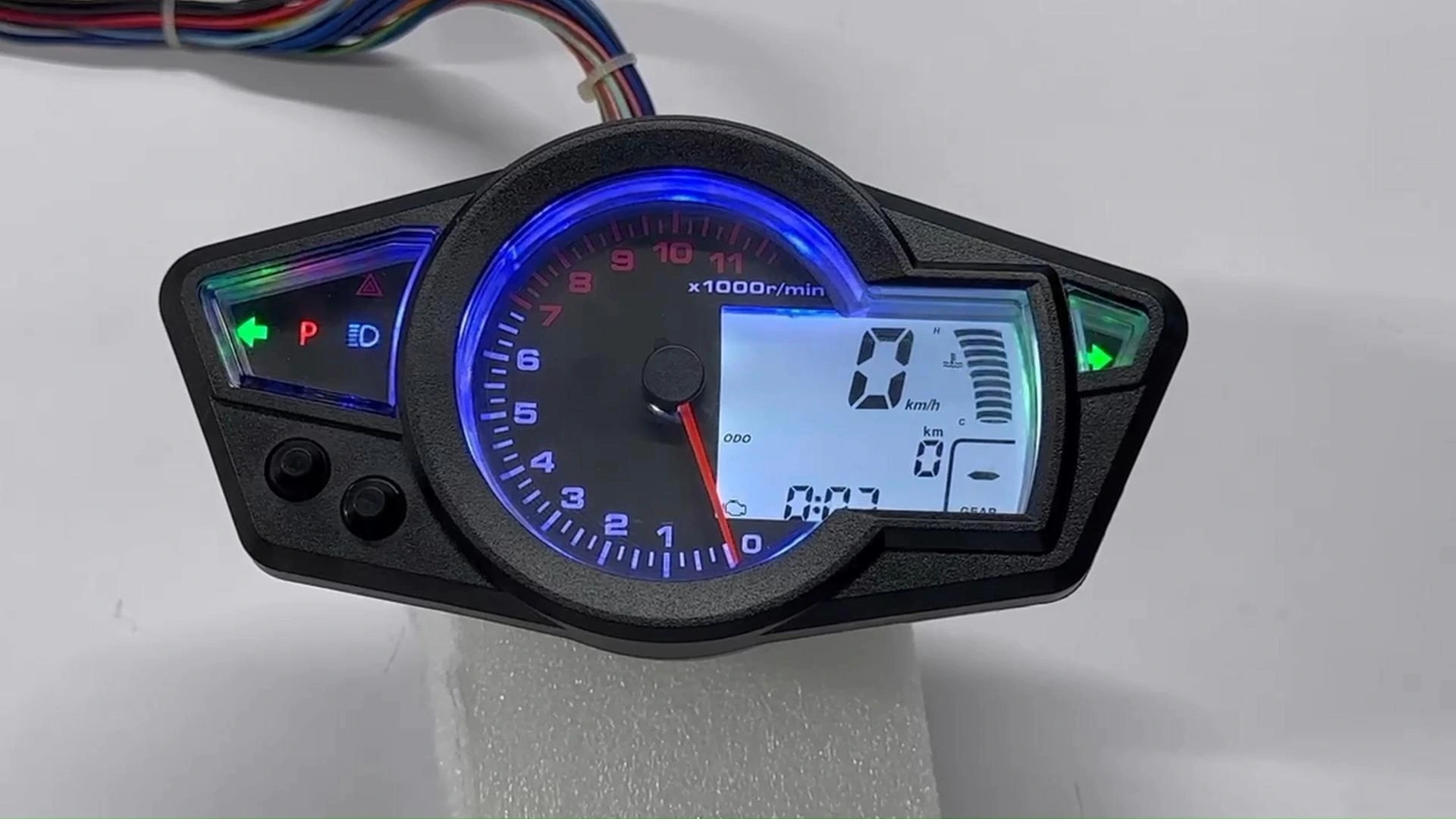
BH-METER Factory Wholesale Universal Digital Dashboard Speedometer Tachometer For KOSO RX1N RX1 Motorcycle Parts
Advanced digital instrument system specifically designed for CFMOTO 150NK motorcycles, featuring comprehensive display capabilities and configurable settings for optimal riding information management.
Compatible Models: KOSO RX1N, RX1Installation Steps
Step 1: Disconnect all power sources completely.
Step 2: Remove factory instrument assembly.
Step 3: Connect wiring according to diagram.
Step 4: Test screen illumination.
Step 5: Verify all functions.
Step 6: Complete installation process.
Button Adjustment
◎ Short Press (Press time less than 1 second):K1 short press switches between fuel level and water temperature display.K2 short press switches between odometer and trip meter display.
◎ Long Press (Press time more than 2 seconds):K1 long press enters clock adjustment mode.K2 long press enters instrument setting mode.
◎ Clock Adjustment:K1 short press increases the blinking digit.K1 long press increases the digit faster.K2 short press switches the adjustment position.After adjusting the minutes, short press K2 to exit.
◎ Instrument Settings:K1 short press increases the blinking digit.K1 long press increases the digit faster.K2 short press switches the adjustment position.Long press K2 to exit.
◎ Instrument Setting Interface Meaning:"-1280-" represents the tire outer diameter in mm."-5-1-2": The first digit represents the fuel sensor type: 5 for 500Ω, 1 for 100Ω.The second digit represents the unit conversion: 1 for kilometers, 2 for miles.The last digit represents the engine cylinder count, adjustable only between 2 and 4 cylinders.
◎ When adjusting the cylinder count, a blinking display indicates activation, while no display means the function is turned off.
Precautions
Guideline 1: Prevent wiring errors by seeking professional assistance.
Guideline 2: All units tested before shipping. Check wiring first if problems occur. Contact support for defective products.
Related Products
Just leave your email or phone number in the contact form so we can send you a free quote for our wide range of designs!
Add: Room 1003, 10th Floor, Building 3, Wanyang Innovation City, Jiangdu West Road, Duruan Town, Pengjiang District, Jiangmen City, Guangdong Province, China