


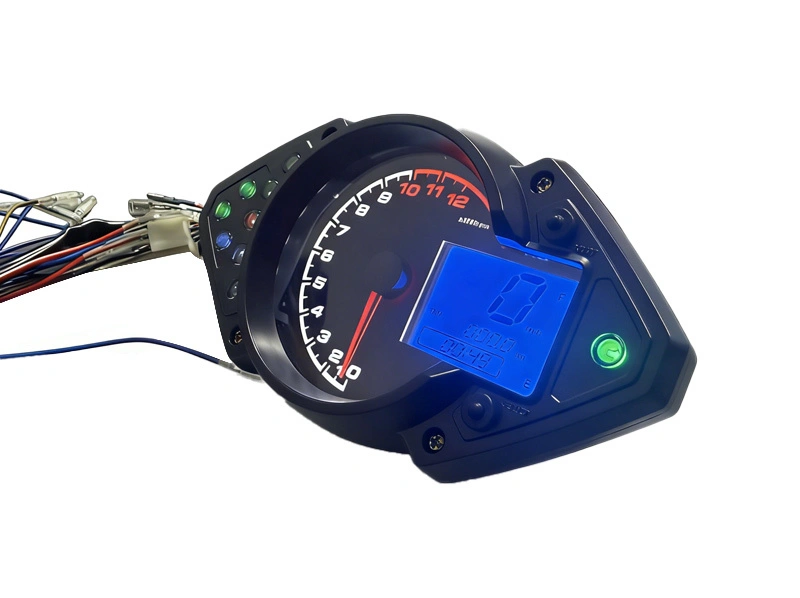
BH-METER Universal Digital Dashboard Speedometer Tachometer Fits Keeway RKS100cc 2V RKS125
Comprehensive digital instrument system designed for Keeway RKS series motorcycles including RKS 100 2v, RKS 125, Benelli VLM 150, Vigorey VLR 200, and Keeway RSK 150 models, providing reliable performance and accurate data display.
Primary Fitment: Keeway RKS 100 2v, RKS 125, Benelli VLM 150, Vigorey VLR 200, Keeway RSK 150
Installation Steps
Method 1: Ensure motorcycle power is completely off.
Method 2: Remove original dashboard wiring.
Method 3: Connect new system wiring properly.
Method 4: Test basic display functions.
Method 5: Verify all indicator operations.
Method 6: Complete installation with check.
Button Adjustment
The upper button is A, and the lower button is B.
◎ Short press A: Switch between kilometers and miles, and save the setting.
◎ Short press B: Switch between total mileage and trip mileage.
In trip mileage mode, long press A to reset the trip mileage.
◎ Long press B to enter clock setting mode: The hour will start flashing. If no button is pressed for 3 seconds, the minute will start flashing.Short press B to exit the setting mode.Short press A to adjust the values. The time format is 24-hour.
Precautions
Recommendation 1: Avoid wiring mistakes by consulting professional mechanic.
Recommendation 2: Products undergo pre-shipment testing. Check connections first if issues arise. Contact after-sales for damaged units.
Related Products
Just leave your email or phone number in the contact form so we can send you a free quote for our wide range of designs!
Add: Room 1003, 10th Floor, Building 3, Wanyang Innovation City, Jiangdu West Road, Duruan Town, Pengjiang District, Jiangmen City, Guangdong Province, China