


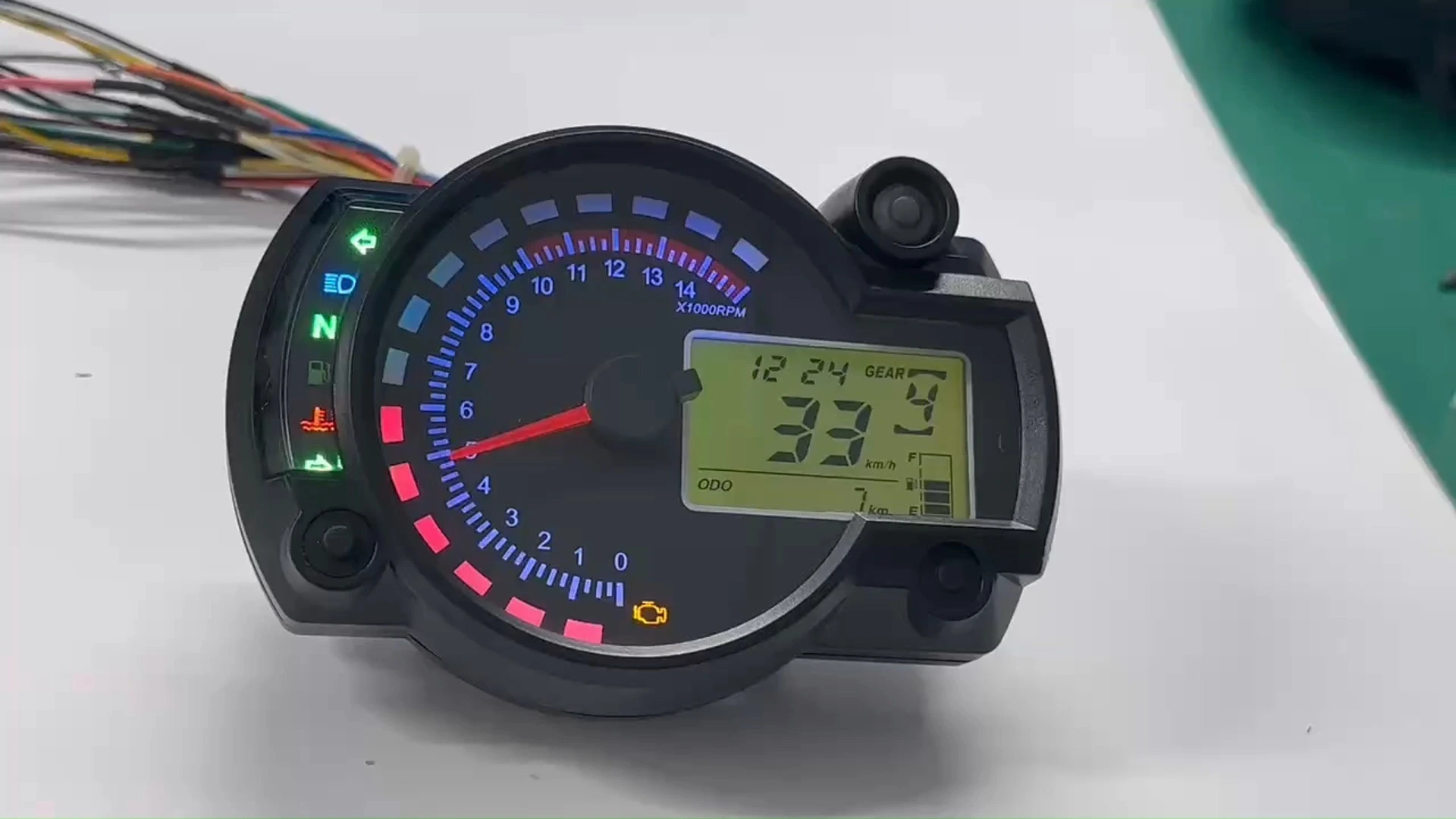
BH-METER Factory Wholesale Digital Dashboard Speedometer Tachometer Fit for Aprilia GPR150cc KOSO RX2N Benelli BN600 Motorcycle Parts
Universal digital speedometer compatible with Aprilia GPR150cc, KOSO RX2N, Kawasaki Ninja 250/Ninja 250R and EX11 Benelli BN60, designed as a direct-fit replacement or upgrade. Its compact, durable housing and high-contrast digital display deliver accurate speed readouts and essential ride data with straightforward installation for everyday and sport riding.
5.0
Purchase discount:
Over 40pcs:10% off | 100-300pcs:20% off | Above 300pcs:VIP 7.8% off + Free sample shipping
Brand:
Baihang
Factory Price:
16USD
Shipping Cost:
Negotiation
Delivery Time:
It depends on the region
Payment Terms:
T/T, Paypal
MOQ:
20 pcs
ODM & OEM:
Available( MOQ:2000 PCS ,can buy in batches, but you need to sign a contract)
design customization
Please fill out the form below to request a quote or to request more information about us. Please be sure to upload customized requirement documents or pictures, and we will get back to you as soon as possible with a response. we're ready to start working on your new project, contact us now to get started.
Please fill out the form below to request a quote or to request more information about us. please be as detailed as possible in your message, and we will get back to you as soon as possible with a response. we're ready to start working on your new project, contact us now to get started.
Product Illustration
Key Settings
1.Short press the left button to select the backlight color.
2.Short press the right button to toggle between the total mileage (ODO) and trip meter (TRIP).
3.In the ODO mode, long press the left button to switch between metric and imperial units.
4.In the ODO mode, long press the right button to enter the clock setting mode. In this mode, short press the left button to increase the value, and short press the right button to move the flashing digit and confirm.
5.In the TRIP mode, long press the right button to reset the trip meter.
003 (4)
{{item.score}} Stars
{{item.pre}}%
{{item.nickname ? (item.nickname.slice(0, 2) + '*****') : item.source === 1 ? 'mall buyer' : '--'}}
{{item.comment_time}}
Review in the {{item.country}}
{{itemAttr.params_key}}: {{itemAttr.params_value}}
Related Products
Contact Us
Get in touch with us
Just leave your email or phone number in the contact form so we can send you a free quote for our wide range of designs!
Jiangmen Baihang Technology Co., Ltd. specializes in motorcycle LED & LCD instruments.11 years’ experience, 350+ models, OEM & customization supported.
Useful Links
Products
Email: baihangtechnology@gmail.com
Phone: +86 185 7506 5015
Add: Room 1003, 10th Floor, Building 3, Wanyang Innovation City, Jiangdu West Road, Duruan Town, Pengjiang District, Jiangmen City, Guangdong Province, China
Add: Room 1003, 10th Floor, Building 3, Wanyang Innovation City, Jiangdu West Road, Duruan Town, Pengjiang District, Jiangmen City, Guangdong Province, China